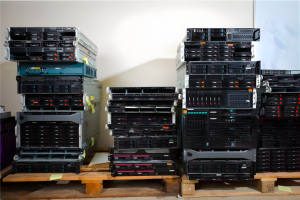
Out-of-use IT hardware does not always need to be discarded immediately. In many enterprise environments, servers, storage systems, and network equipment are retired too early simply because business needs changed, workloads moved, or OEM warranty coverage expired.
That does not always mean the hardware has no value.
Many systems that are no longer suitable for their original production role can still support testing, backup, virtualization, branch office workloads, or secondary infrastructure needs. For organizations under pressure to control IT spending, the smarter question is not always “Should we replace this?” but “Can this hardware still create value somewhere else?”
This is where a practical IT recycling and lifecycle strategy becomes important.
Instead of treating retired hardware as waste, organizations can usually choose from three paths: repurpose, reuse, or recycle.
Why IT Hardware Gets Retired Too Early
Enterprise hardware is often built to last longer than the original warranty period. A server may still run reliably after five, seven, or even more years, but many organizations replace equipment early because of OEM lifecycle policies, refresh pressure, internal standards, or limited visibility into how the hardware can still be used.
In some cases, the hardware is removed from production because a newer system was installed. In others, a workload moved to the cloud, a business unit changed direction, or a data center consolidation project created unused equipment.
The result is the same: working hardware ends up sitting idle.
When this happens, businesses may lose value from equipment that has already been paid for. They may also create unnecessary costs by purchasing new hardware before fully evaluating what can still be used.
A smarter approach starts with reviewing the condition, age, workload history, performance capability, and support requirements of the existing hardware before deciding what to do next.
Option 1: Repurpose Existing Hardware
The first option is to repurpose the hardware for a new internal use.
A server that is no longer ideal for mission-critical production workloads may still be useful for development, testing, training, internal tools, backup systems, lab environments, monitoring, or branch office support.
This helps businesses extend the value of equipment they already own.
For example, a server retired from a primary data center may be moved into a non-production environment where performance demands are lower. A storage unit may be used for backup or archive workloads. Network equipment may support lab testing or temporary infrastructure projects.
Repurposing works best when the hardware is still stable, secure, and supportable. It also requires proper documentation so IT teams know where the asset is being used, what workload it supports, and when it should be reviewed again.
Option 2: Reuse Through Virtualization
The second option is reuse through virtualization.
Older servers may not be needed for one specific workload anymore, but they can often support multiple smaller workloads through virtualization platforms such as VMware, Hyper-V, or other hypervisors.
This can improve resource utilization and reduce the need to buy additional hardware for non-critical workloads.
Virtualization can be especially useful for test environments, temporary projects, internal applications, and development teams. Instead of running one underused physical server for one task, organizations can divide resources more efficiently across several virtual machines.
This approach helps reduce hardware waste, improve utilization, and delay unnecessary refresh spending.
Option 3: Recycle with Safe Disposal
If the hardware is no longer usable, recycling becomes the right option.
However, IT recycling should never be treated as simply throwing equipment away. Retired servers, storage systems, laptops, and networking devices may contain sensitive business data, reusable components, and materials that require responsible handling.
A proper recycling process should include:
- Asset tracking
- Data wiping or destruction
- Component recovery
- Secure handling
- Environmentally responsible recycling
- Disposal documentation
- Compliance records where needed
Safe disposal protects the business from data exposure and supports responsible sustainability practices.
For companies with regulated environments, proper documentation is especially important. It helps confirm that equipment was handled correctly and that sensitive information was not left behind on retired systems.
Client Example
A mid-sized organization recently completed a hardware refresh across part of its data center. Several older servers were removed from production, and the initial plan was to recycle everything immediately.
After reviewing the environment, ETS helped the team separate the hardware into three groups.
Some systems were still stable enough to be repurposed for development and testing. A few servers were reused in a virtualized lab environment for internal application testing. The remaining equipment was prepared for secure recycling with proper asset tracking and data handling.
Instead of treating every retired server as waste, the organization recovered additional value from existing hardware, reduced new equipment purchases, and improved its recycling process.
This helped lower unnecessary IT spending while keeping the environment organized, secure, and easier to manage.
Where ETS Fits In
Extended Technical Solutions helps organizations take a more practical approach to hardware lifecycle planning.
Not every aging system needs to be replaced immediately. Some hardware can be supported longer through post-warranty maintenance. Some can be reused in lower-risk environments. Some should be recycled securely once it no longer delivers value.
ETS helps businesses review server, storage, and network infrastructure so they can make smarter decisions around replacement, reuse, maintenance, and end-of-life planning.
The goal is simple: extend value where possible, reduce waste, protect data, and control infrastructure costs.
Final Thoughts
Out-of-use IT hardware should not be viewed as useless by default.
In many cases, businesses still have options. They can repurpose hardware for new internal use, reuse it through virtualization, or recycle it responsibly when it has truly reached the end of its useful life.
A strong lifecycle strategy helps organizations reduce unnecessary spending, support sustainability, and maintain better control over IT assets.
ETS helps organizations think smarter about aging hardware, post-warranty support, lifecycle planning, and responsible infrastructure management.
About The Author: